Set Your Target Budget
Filter products by your comfort zone—from affordable $35 barstools and brass pulls to designer pendant lighting and commercial-grade faucets.


Upload a photo of your actual kitchen to preview cabinet colors, quartz countertops, and backsplashes in seconds. Keep your gas lines and layout intact with realistic AI kitchen design.
Get 4 free Credits on sign-in · No credit card required

Upload a photo of your kitchen to preview cabinet paint, quartz countertops, and backsplashes.
⚡ Generate Design
Upload a room photo, choose a style, and decide whether to keep the layout or explore a larger change. Sign in to generate your design.
Find Furniture · Shop this Look
Kitchen remodels get expensive fast, and simple mistakes cost thousands to fix.
Upload your room photo to test realistic finishes directly on your layout with AI kitchen design.
Drag the slider to compare original kitchen spaces with AI-generated refresh concepts. Use these visual previews to guide your choices—not as construction blueprints.


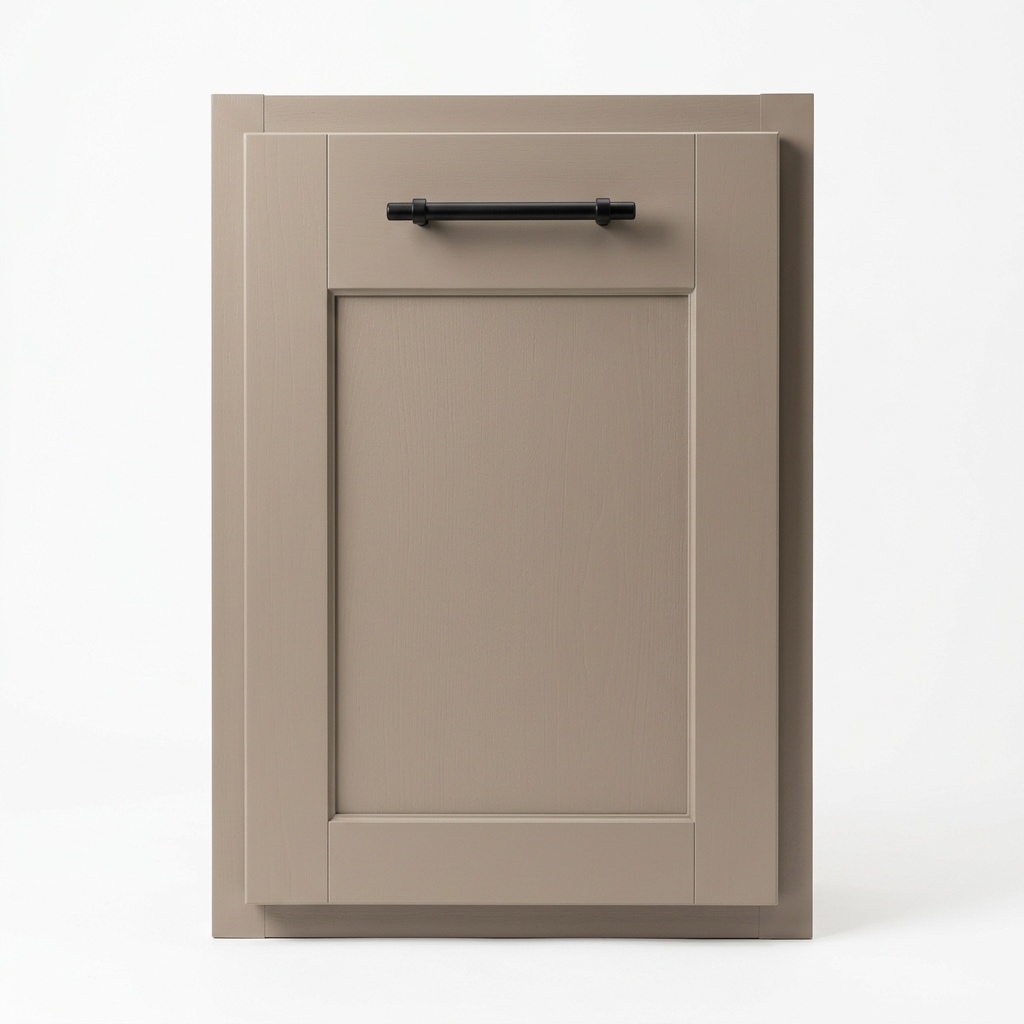
Kept existing cabinet boxes intact. Tested warm taupe cabinet paint, matte black bar pulls, and white subway tile to turn an expensive remodel into a simple cosmetic facelift.


Brightened a narrow galley kitchen with clean quartz surfaces and open floating oak shelves to bring in more natural light.


Previewed navy base cabinets with airy white uppers and brushed brass hardware before buying new cabinet doors or expensive paint.
Most AI tools redraw your kitchen from scratch. Our AI kitchen design controls let you choose exactly how much change you want to see.
Locks your exact stove location, range hood, sink plumbing, window placement, and wall boundaries. Refresh cabinet paint, countertops, backsplash tile, and lighting without structural disruption.


Don't get stuck with an AI concept you can't buy. Price the full look and source real products across major retailers.
Filter products by your comfort zone—from affordable $35 barstools and brass pulls to designer pendant lighting and commercial-grade faucets.

Click any cabinet door, faucet, drawer pull, countertop, or pendant in your generated design to start matching.

1. warm taupe shaker cabinets...
2. pull-down gooseneck faucet...
3. matte black bar pulls (10pk)...
4. white quartz countertop slab...Browse real-world products with photos, live prices, and direct store links across major home retailers.


Results showcase visually similar items. Please verify dimensions, cabinet door clearances, stock, and local availability before purchasing.
Explore popular kitchen design styles from Japandi to Modern Shaker on your actual layout.

Warm taupe cabinets, fluted wood prep islands, creamy quartz countertops, and zellige backsplashes.

Rich walnut cabinetry, geometric tile backsplashes, and vintage matte black hardware.

Pale oak flat-panel cabinets, clean stone slabs, minimalist matte black faucets, and clutter-free surfaces.

Crisp white shaker cabinets, sun-bleached oak accents, soft seafoam tiles, and breezy pendant lighting.

kitchen.styles.modern_french.desc

Earthy olive green cabinets, textured zellige tile, warm rattan barstools, and brushed gold accents.

Bold emerald green cabinetry, geometric marble inlays, fluted glass uppers, and polished brass hardware.

kitchen.styles.maximalist.desc

Deep charcoal and forest green cabinets, rich walnut countertops, antique bronze pulls, and warm wall lights.

kitchen.styles.mediterranean_modern.desc

Soft sage green cabinetry, tongue-and-groove beadboard, warm butcher block counters, and heritage bridge faucets.

Matte black metal frames, exposed brick or concrete backsplashes, reclaimed wood shelving, and vintage track lights.
No complex 3D software needed. Walk through four simple steps to create your AI kitchen design and product shopping list.
Take a clear photo from the entrance showing your main cabinets and counters. Our AI kitchen design tool handles JPG, PNG, and WebP up to 10MB.
Drop image or browse. JPG, PNG up to 10MB.
Select Keep Layout to protect existing pipes and gas lines, then pick your favorite style.


Review your realistic kitchen design in seconds. Use Point Edit to test different cabinet paint colors or backsplash tiles.


Click items in your new design to find real, budget-friendly products with live prices.


"How do I refresh old oak cabinets without spending $30k+ on full replacements?"
Preview modern paint colors (like warm taupe or sage green), new hardware, and fresh backsplashes on your actual cabinets before hiring a painter or replacing doors.

"How can I make a narrow kitchen feel brighter and more open without tearing down walls?"
Test light quartz countertops, open shelving, and vertical tile layouts to make narrow spaces feel brighter and more open without changing your plumbing.

"Will that quartz or tile sample actually look good in my kitchen's lighting?"
See how countertop patterns, tile finishes, and cabinet colors come together in your real space before spending thousands on custom materials.
Your home is your private space. We protect your uploaded photos and personal data with strict privacy standards.
Sign up to receive 4 complimentary design credits instantly. Explore multiple kitchen transformations with zero credit card commitment.
Uploaded photos are processed exclusively to generate your kitchen design concepts through private APIs. Avoid uploading sensitive content.Read the Privacy Policy →
Your personal photos are never published to public galleries or used to train unrelated public AI models without your consent.
You retain full control over your data. Delete your uploaded photos and generated designs from your account dashboard at any time.
Yes. When you pick "Keep Layout," the AI keeps your stove, sink pipes, and appliances right where they are. It only updates cabinet colors, countertops, backsplash tiles, and lighting without moving any walls or plumbing.
Yes. With Point Edit, you just brush over the cabinets, island, or backsplash you want to change. The AI updates only that spot and leaves everything else in your kitchen untouched.
Yes! It works great for small spaces. You can try lighter cabinet colors, open shelves, and bright countertops to make a tight kitchen feel bigger and brighter without knocking down any walls.
Yes. Just click on any handle, faucet, light, or barstool in your new design. We will find similar real products you can buy online, complete with photos, live prices, and direct store links.
No. You don't need any design skills at all. Just upload a photo of your kitchen, pick a style you like, and the AI creates your new look in seconds.
The AI uses the real lighting from your photo, so colors and shadows look very close to real life. Still, we always recommend ordering small paint chips and countertop samples before spending money on big materials.
No. You get 4 free credits as soon as you sign in—no credit card needed. You can upload your kitchen photo and make your first designs right away.
Yes. Your photos are private and safe in your personal account. We never share them publicly or show them to anyone else, and you can delete them whenever you want.
Compare furniture arrangements, color palettes, and sofa styles in your actual living room.
SEE A NEW LOOK FOR MY ROOM


Stop second-guessing paint chips and quartz samples. Start your AI kitchen design today and visualize your dream cooking space in under 30 seconds.
4 free Credits on sign-in · No credit card required